Chapter 1 - Welcome & Overview
Welcome to UNA.
Midicake UNA is a hardware MIDI performance-sequencer that lets you build a complete, evolving three-layer composition in minutes - a melody that responds to your chords, a chord progression that drives everything, a bass line with its own improvisation - then play over the top while UNA keeps the music evolving. Eight hands-on knobs, four MIDI outs (2× TRS, plus USB Device and USB Host), instant patch recall, plus modulation and performance tools.
Who is UNA for?
UNA is for keyboard players, synth users, and MIDI tinkerers who want more music from fewer hands. We designed it around four types of players:
- The Solo Performer - create full-band arrangements without a band.
- The Composer - sketch ideas faster so you don't forget them.
- The Studio Musician - layer complexity with ease.
- The Improviser - build a structure for your musical freedom.
What's in the box?
- UNA itself.
- A USB-C cable: for power and computer-to-UNA MIDI.
- Two MIDI DIN to TRS-A cables: for connecting traditional 5-pin MIDI gear.
- A Quick Start Guide: a printed card to get you going fast.
This manual is the deeper dive and can be downloaded or viewed online.
A note about MIDI cabling: UNA's MIDI jacks use the MIDI Standard TRS Type-A connectors. The two cables in the box are for bridging UNA to traditional 5-pin DIN gear. See Chapter 15 for the MIDI side in detail.
A quick orientation
UNA plays three tracks at once: a Chord Track, a Melody Track, and a Bass Track. The Chord Track holds a captured chord progression that drives the others - when the chord changes, the Melody and Bass shift to stay in harmony too. You can hear or hide each track independently via the Mixer.
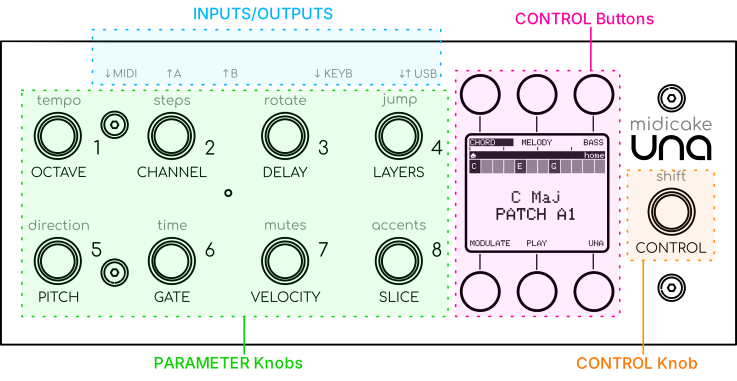
Each track has 16 parameters, reachable from the 8 PARAMETER Knobs (rotate for primary parameters, press-and-rotate for secondary). The Melody Track can be step-sequenced; the Bass Track evolves through a variability-based system called Improv; the rhythmic Chord Track is built from your chord progressions.
A Modulation system can evolve any parameter or MIDI CC output automatically over time, from six sources (Waveform, Random, Time Sequence, Step Sequence, Macro and MIDI CC), either continuously or as one-shot bursts.
All features are accessible from Home. The Listen toggle allows you to select whether the notes you play on your keyboard set the chord in real time, or whether UNA stays locked to what you've recorded so you can play solo on top.
Play / Stop controls the playback; but even when stopped, holding a chord on your keyboard sets UNA running for as long as you hold it - a behaviour called Live Play (Chapter 5). A sustain pedal (CC64) can latch it so it keeps running while you change chords.
Everything you build is saved as a patch. UNA holds 64 patches across 8 banks (A-H) of 8, autosaving as you edit. Switching patches mid-performance keeps the playback position, so the new patch comes in without a jump. You can also build patches into an arrangement by building Patch Chains.
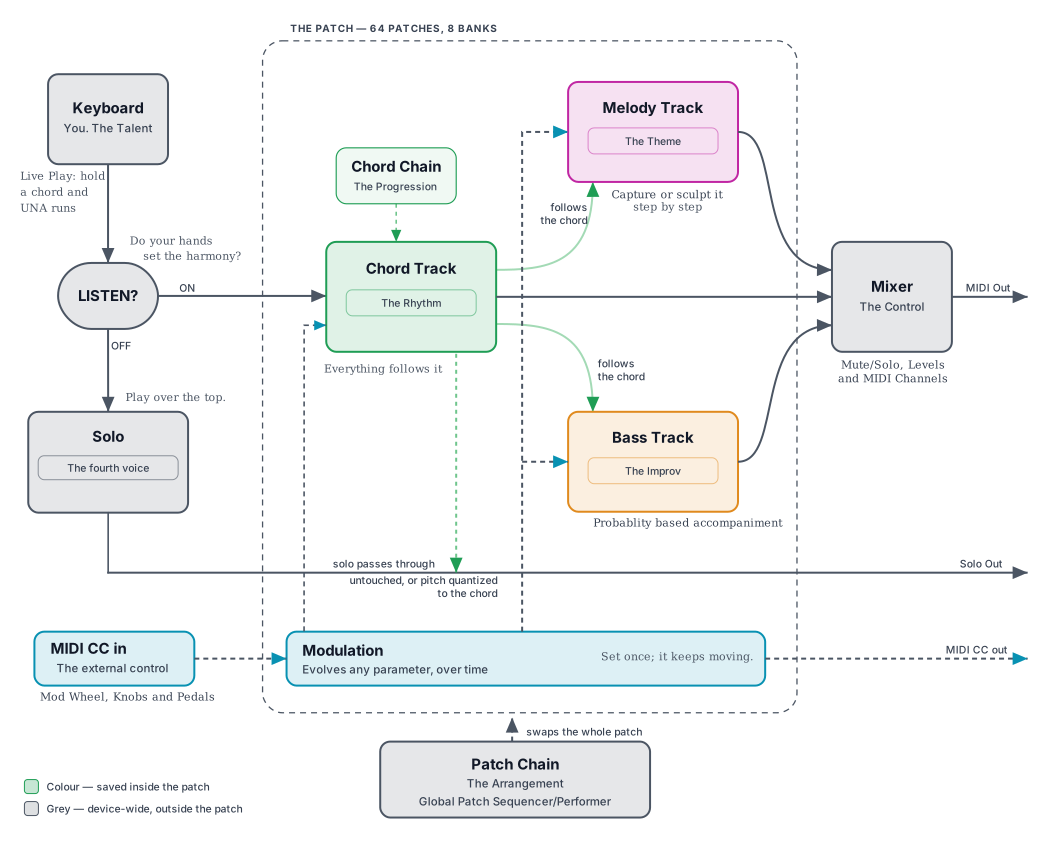
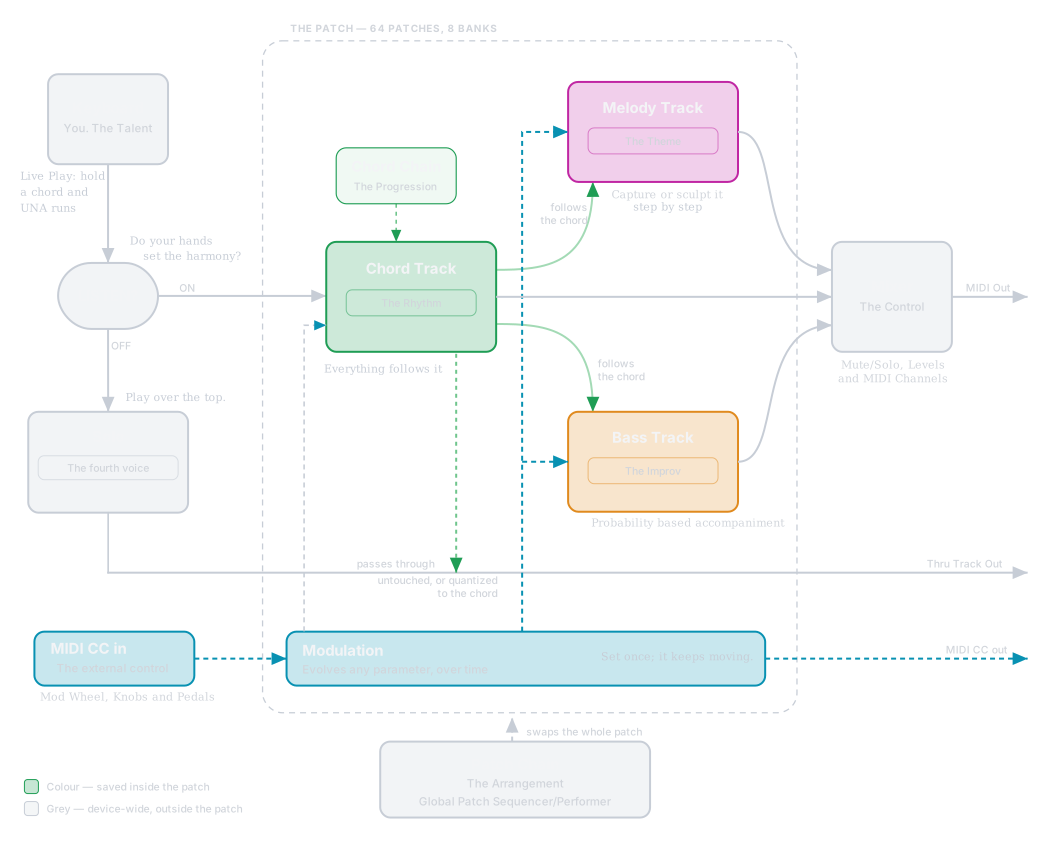
Colour marks what a patch saves. Grey marks the things that live on the device, outside any patch.
Where to start
When you power UNA on it shows SELECT MODE. BASIC is a simple one-track arpeggiator - a gentle way in, with its own patch (BASIC mode). EXPERT is everything this manual covers. TUTORIAL starts a guided walkthrough. Turn the CONTROL Knob to choose and press GO (button 6). You can switch at any time from Home, and the Menu's Startup Screen setting skips this screen at power-on.
Three paths from here:
- Just play. Skip to Chapter 2 - Quick Start for a 2-minute path to sound.
- Let UNA show you around. Choose TUTORIAL on SELECT MODE for a guided walkthrough of BASIC, and re-enter it any time later. Chapter 3 explains how it works.
- Read first, play later. Continue to Chapter 5 - Core Concepts for the full mental model. Chapters 2 and 4 (Quick Start, Anatomy) are useful but not essential at this stage.
Either way, welcome aboard.