Performing
Home is where you start. The display shows the signal path - the chord feeding the three tracks, feeding the mixer - with the current chord and the bar position along the bottom. Rotate CONTROL to pick the active track; hold CONTROL and press button 3 (VIEW) to swap the body for the info view, which puts the patch name and the chord you are hearing in large type. (The three-way Notes / Notes+Info / Notes+Info Extra views are the Tracks screen's, not Home's.)
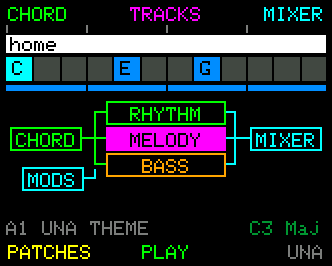
| Button | Press | Hold |
|---|---|---|
| CHORD / MELODY / BASS | Two-step. Not the active track → select it (you stay here). Already the active track → enter its mode. | - |
| MODULATE | Enter Modulate | |
| PLAY / STOP | The transport | Panic stop |
Quick press CHORD and the knobs are on Chord; quick press it again and you're in Chord Mode.
Quick press CONTROL → Performance Mode, a single screen to play from with a keyboard. It stacks five rows (PATCH, CHORD, TRACKS, MIXER and MODS), one open and four closed; MODE cycles which is open and B2 opens that row's own screen. The same tap takes you back out. → Manual Ch 6 - Performance Mode
Hold CONTROL → the COMMON row, the same six actions on every screen: MENU, NAV and HELP among them. PARAMETER Knobs 1, 2, 3 = Chord, Melody, Bass: press mute · rotate velocity · press-and-rotate MIDI channel. → Manual Ch 6
Live edits
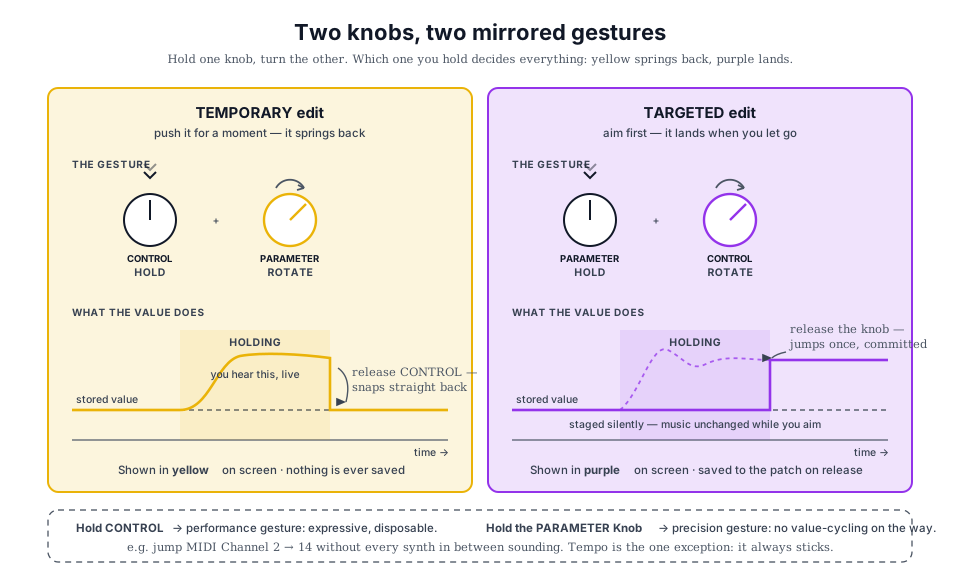
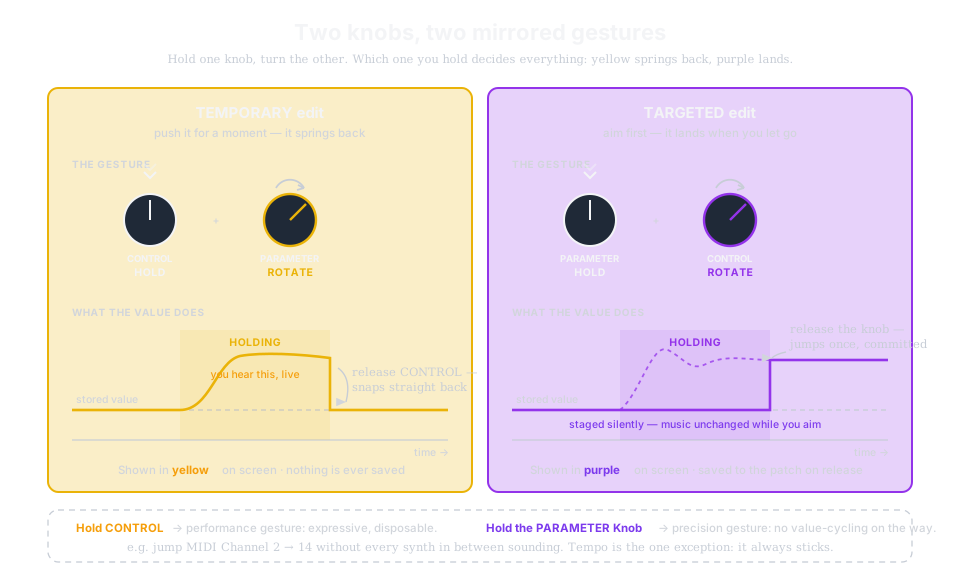
- Temporary (hold CONTROL, rotate a knob) - yellow; push a parameter for a phrase, release, it snaps back. Nothing saved.
- Targeted / staged (hold a knob, rotate CONTROL) - purple; dial the value in, commit on release. No cycling through every value on the way.
Locks are the override layer: a locked parameter ignores live knob edits - set them in PARAMS. All three lock types reset to OFF when you capture fresh material, so new recordings play back uncoloured. → Manual Ch 6 · Ch 7 - Track Parameters
Every parameter, one menu
PARAMS (from any track mode) lists every parameter in categories: rotate CONTROL to select, press-and-rotate to change. Press a PARAMETER Knob to jump straight to its parameter. RESET (param or whole track, with confirm), LOCK, CATEGORY jump, PLAY/STOP and BACK live on the buttons. → Manual Ch 7 - Track Parameters